
LinkedIn

Facebook

Instagram

Flatiron
  • Our Companies
  • Our Projects
  • Careers
  • News & Insights

Training Guide Home

Logging in to XMCloud

  1. Go to https://portal.sitecorecloud.io/ 
  2. Enter your email address and password, and click continue
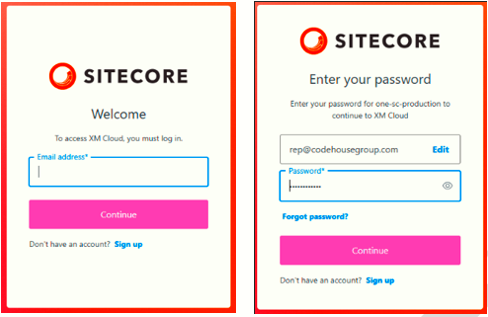
       logging-in
  3. The XM Apps Dashboard will be displayed, showing all the sites that you have access to manage
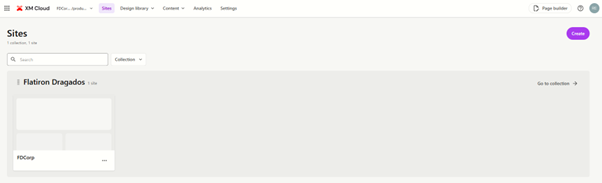
    xm-apps-dashboard
  4. Before going further, ensure you are in the right environment, i.e. production vs staging (UAT) or any other environment you have set up.  To change environments, refer to the Environments section of this document
FlatironDragados

FlatironDragados is the trusted partner delivering resilient, innovative infrastructure throughout the United States and Canada.


FlatironDragados
  • Projects
    • News
      About Us
      • About FlatironDragados
        • Our Values
          Join Us
          • Life at FlatironDragados
            • Find Your Job
              Copyright © 2025 FlatironDragados 
              • Ethics & Compliance
              • Privacy Policy
              • Terms & Conditions
              • EOE