
Add Component to a Page
In Page Builder, navigate to the page you want to add the component to.
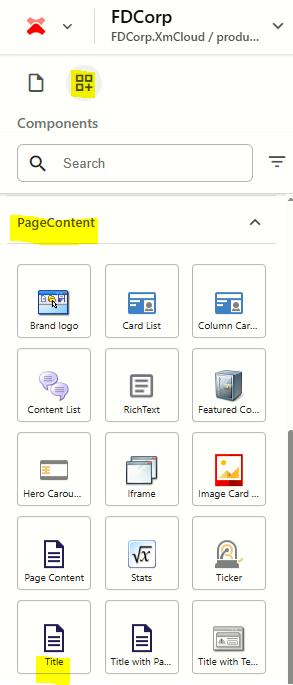
From the Components panel, drag and drop the Page Content > Title component into a container on the page.
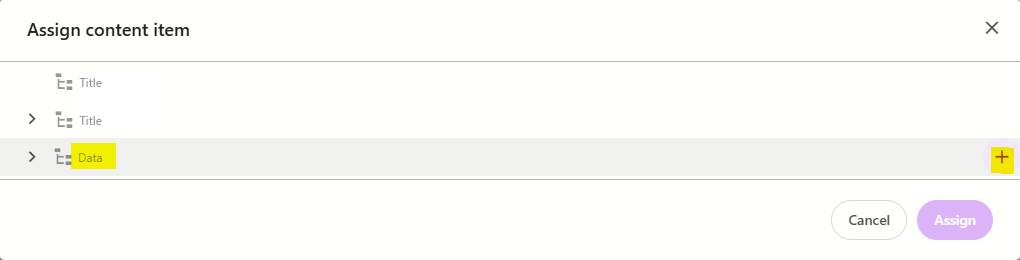
In the Assign content item window, hover over the data folder in the tree and then click on the + icon
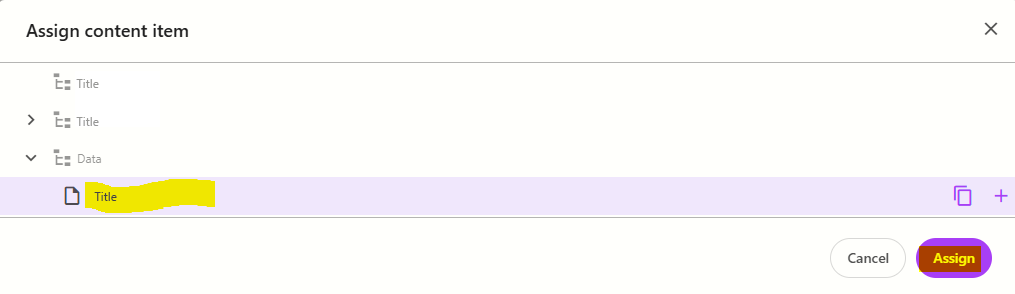
Select the Title template to create a datasource, and then type the name for the new content item WITHOUT clicking on the datasource itself. Press ENTER once you have finished typing the datasource name and then click Assign.
The new datasource will appear on the page. Enter the title text.
Configure the Component
- Click on the Title component to select it and display the component configuration options on the right
The table below outlines the configuration and advanced styling options available for the component. Apply these as appropriate.
Configuration Options | Description |
|---|---|
Design Tab | |
Is Contained | Tick checkbox to display the component with extra padding on the left and right; Or leave unticked to display component full screen width. |
Theme | Select a theme to change the colours of the text and background |
Top Spacing | Adds extra spacing above the component |
Bottom Spacing | Adds extra spacing below the component |
| Content Tab | |
| Title | Component title |
| Make title H1 | Tick checkbox to make the title field an H1. Only use this option if the component is placed at the top of the page and you want the title to be the main heading on the page. |